What’s a favicon you ask? It’s that little image that comes right before the URL address when a person pulls up a blog or web page (see photo below). The following instructions will work for any theme on a self-hosted site. Some themes will have a spot for you to put a favicon without […]
The Most Epic MailChimp Tutorial Ever!
If you’re a blogger, you know that with the start of 2015 comes the unfortunate reality that Facebook will be showing your posts to no one unless you pay. As experts like Neil Patel and others have reiterated over and over, email subscribers are the best and most efficient way to get and keep readers. […]
Feedly is The Best Tool to Curate Content

Today I’m going to give you a little tutorial on Feedly, and why it’s my favorite tool for content curation. If you’re a blogger, you know how important it is to read other blogs right? Not just for the sake of commenting and community, but to get new ideas, share great content, and build your […]
Everything You Need to Know About Twitter Lists

I’m going to go out on a limb and say that Twitter Lists are the single most essential organizational tool for managing Twitter. Without them, you will be lost, disorganized, and unable to track the best tweeters in your niche. What is a list? A list is a group of tweeters that are centered around […]
Set Up Self-Hosted WordPress Like a Boss

Let’s start at the beginning. In order to have your own website or blog, you need two things—a domain name (otherwise called a URL) and a server to hold all your files. Most people don’t have a dedicated server in their homes, so you’ll need to buy space somewhere. In layman’s terms, the URL is […]
Behind the “Screen” with Fabulous Blogging

I don’t know about you, but I love to read blog posts that highlight how people accomplished something. I especially love behind the scenes secrets and I suspect I am not alone. So today, I’m going to give you a look at what goes on behind the screen for Fabulous Blogging. It never fails, when […]
Moving a Blog Checklist
Getting ready to move to self-hosted WordPress? Congratulations! You’ll never look back. That said, moving a blog (whether from Blogspot or WordPress.com) can be stressful, even if you’ve hired someone to do it for you. I have several resources on this blog about moving, but here is a handy checklist to use as a reference! […]
Using Categories and Tags on WordPress to Create a Great Reading Experience on Your Blog
Today’s post is going to be a complete explanation of how categories and tags work on WordPress, how they help your readers discover older posts, and how to use them in unique and interesting ways to add functionality to your site. What is a category on WordPress? A category is a way to organize your […]
The Ultimate Guide to the #Hashtag
It’s time to pay attention to hashtags if you’ve been ignoring them as some quirky “twitter language”. Hashtags are now on every major social media platform (Facebook, Twitter, Google plus, Pinterest, and Instagram). I’m going to break down the hashtag into normal everyday language in hopes that beginners will be able to see the value […]
Blogging and Twitter: How to Grow Your Following into the Thousands
I am SO EXCITED (as evidenced by my use of CAPS) for this guest post today. Kate Hall is a good friend, fellow blogger, and master tweeter– and I begged her to share with me her tips and tricks for using Twitter. She’s currently got 8936 followers, earned the good ol’ fashioned way — by following, […]
What the Hell is a Circleshare on Google + and Why Is It So Confusing?
This is a bit of a snarky rendition of cirleshares. Take a shot of whisky and then read it. If you’re on Google Plus, you may have seen shared circle posts on your newsfeed. They look like this: I remember the first time I saw one, I thought, “Hey cool! That nice person is telling […]
How to Add Custom Social Follow Buttons to Your Blog Post Signature
Step by step instructions for adding social follow buttons into a signature. Includes screenshots for anyone using Weaver, Genesis, or Prophoto.
Using Simple HTML in Your Blog Sidebar
This tutorial gives the beginner some easy tips for using HTML to align text in sidebars, using code to display images, and even how to turn those images into links. It’s a low-test introduction to code. No panicking allowed!
21 Strategies To Build a New Blog’s Traffic
Your blog is all shiny and new and you are so excited to engage with the online world. Now…how to get people to read it? This will take an enormous amount of time and energy– probably a lot more than you even spend writing– so don’t get discouraged if it doesn’t just happen. Here are 20 […]
Using Canva to Create a Header for Your Blog
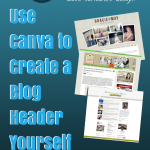
Your blog header is the first thing someone sees when arriving on your site. It’s a defining image or logo that tells your reader what to expect from you. A header usually includes text, symbol or image/s, and a tag line. Headers can take up the top 1/3 of a blog or website, or they […]